Use the countdown
Drag available fuel into the fire before the timer runs out.
Burn logs, batteries, explosives and fireworks to earn money and grow your flame. Unlock upgrades and fuel spawners before stronger rainstorms arrive.
Storm Survival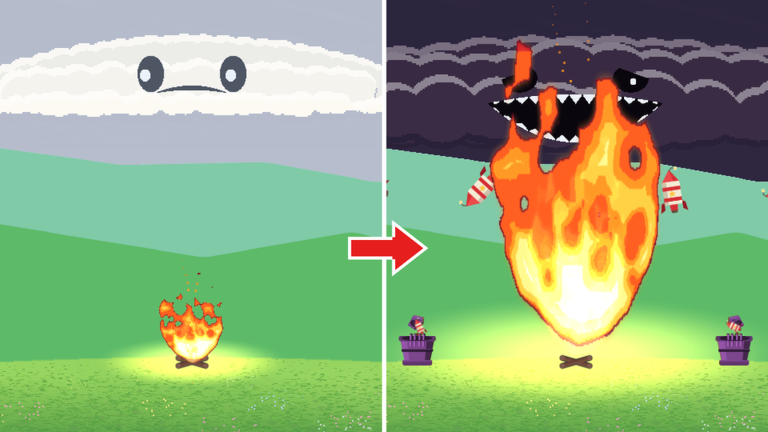
Light the campfire, feed it logs and turn your first burns into upgrades.
Use the match in your hand if the opening cloud puts it out.
Look for money pop-ups and a rising FIRE LEVEL counter.
Watch the countdown, then continue through DRIZZLE.
On DROWNED OUT, choose UPGRADE, make purchases and select START THE FIRE.
Find help with feeding your fire, surviving storms, planning upgrades and worlds, comparing paid options, or checking codes.
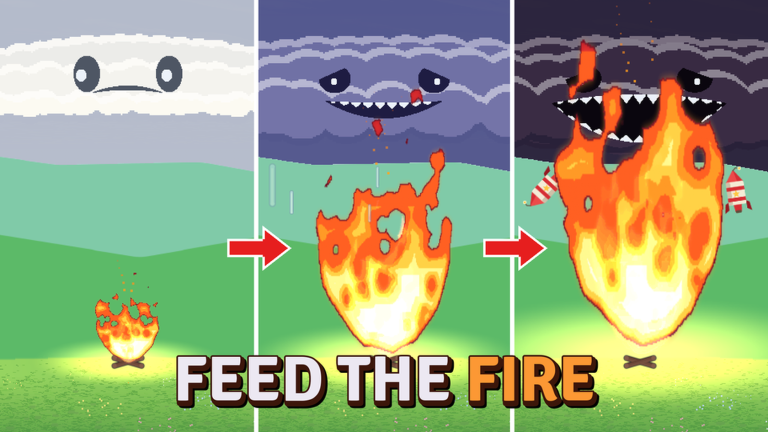
Feed the Fire is an incremental simulator on Roblox where you build up a small fire and keep it strong enough to withstand worsening weather. Earning and spending money gradually opens up more ways to expand your fire, with fire levels and leaderboards giving you longer-term goals.
Explore Fire GuidesDeveloper
BIGGER FIRE
Platform
Roblox
Genre
Incremental Simulator
Server size
Up to 6 players
Grow the fire before the cloud arrives and keep feeding throughout the storm.
Drag available fuel into the fire before the timer runs out.
Buy protection or more time before rain in the upgrade panel, then start another round.
Add fuel while the shield is present; it provides temporary protection.
Later storms are stronger. Use the next countdown to grow again after surviving.
Match a purchase to hotter logs, income, rain protection or easier fuel handling.
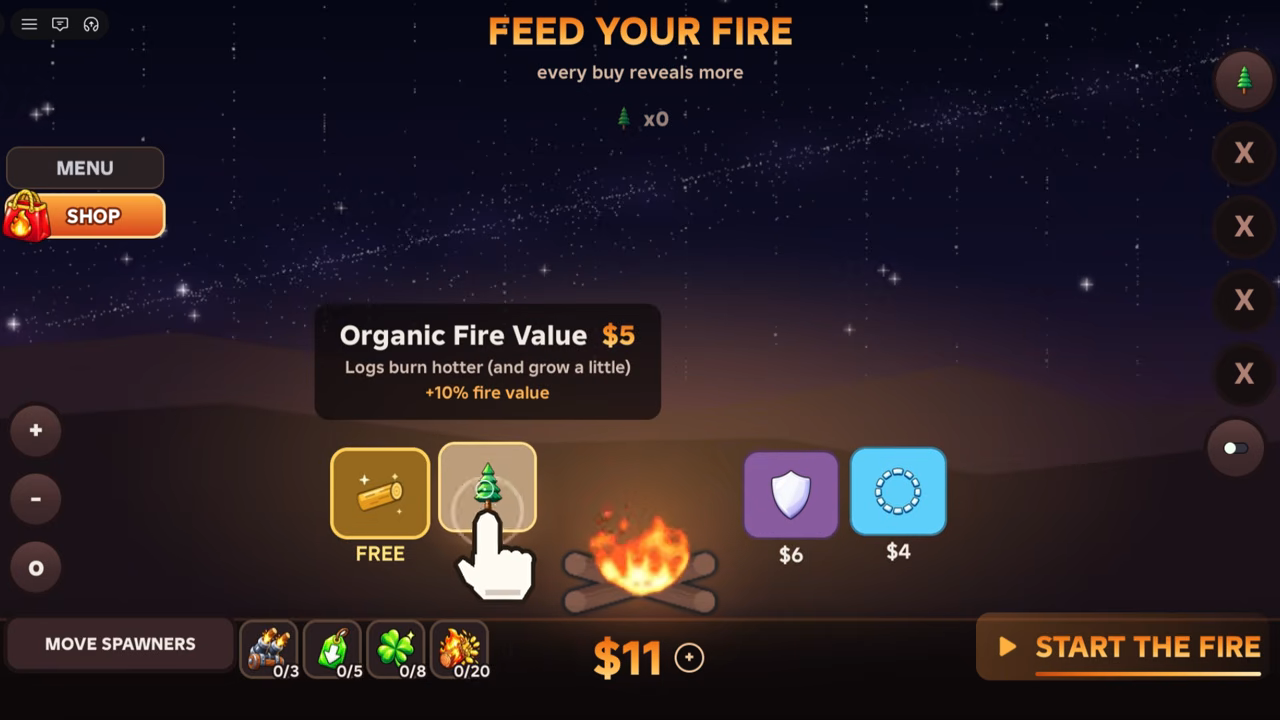
Improves logs: the early card says they burn hotter and gives +10% fire value.
Look for a description that increases money earned when you need funds for more purchases.
Choose temporary rain protection and keep feeding while covered.
When available, buy “Click launches items at the fire,” start another run and click fuel to send it toward the flames.
See the forest, space and frozen-biome progression, with a different fuel setup in each.
Feed the fire through the escalating storms and survive Tempest to move on.
Rebuild with molten rocks and conveyor belts, growing the fire before the sun’s blasts.
Oil equipment and penguins that throw fish replace the forest’s familiar setup.
Produce more fuel, improve delivery and leave room for the growing fire.
Buy an available spawner on the Feed your fire board and complete its placement prompt.
Spawners produce fuel on the field. Keep dragging it in until delivery upgrades help move it to the fire.
Spawners can burn near spreading flames. Use move spawners to relocate them farther out.
More spawners add supply; click-launch helps send clicked fuel toward the fire. Later-world conveyor belts carry fuel that lands on them.
Follow the six-stage sequence from Drizzle to Tempest; each storm is more severe.
| Order | Storm stage |
|---|---|
| 1 | Drizzle |
| 2 | Shower |
| 3 | Rainfall |
| 4 | Downpour |
| 5 | Storm |
| 6 | Tempest |
Start with logs and feed other fuel families into the fire as they become available.
Your starting fuel. Grab a fallen log and drag it into the campfire.
Grab a battery fuel item and drag it into the fire.
Feed an explosive fuel item, such as a barrel, into the flames.
Grab a firework fuel item and drag it into the fire.
Compare advertised benefits, then open the full catalog for listed prices, cosmetics and bundles.

Advertises double earned money, permanently and every round.
Advertises twice as much fire feeding from every burned item.
Its description says items that land near the fire slide into it automatically.

Its description says it spends your money on the cheapest skill-tree node.
Check the code list, reward details and status explanations.
No codes are currently reported working.
Quick answers to common fire-growing questions.
Get oriented with fuel, upgrades and storms, or head into the Roblox game.